For freelancers and 1099 contractors who keep their own records
Your books have been open since January. A log with no end date never asks you to finish anything.
Sample data from the fictional year included with Ledgersprig.
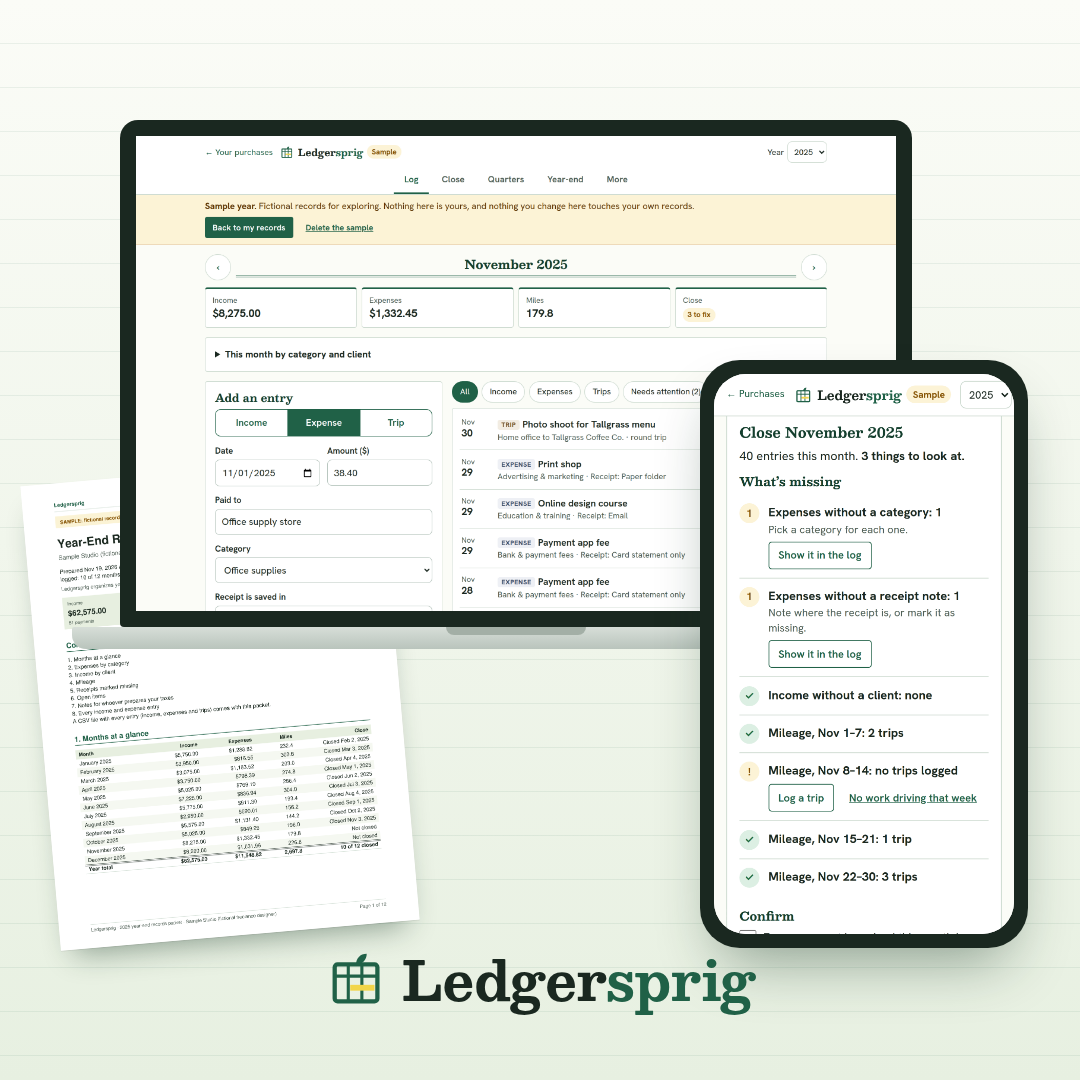
Ledgersprig is a browser tool for freelancers. You log income, expenses and mileage as they happen. At the end of each month, a checklist shows what's missing. You fix those items and close the month. At year-end, you download one packet, a PDF summary and a CSV of every entry, to hand to whoever does your taxes.
It doesn't give tax advice, calculate taxes, file anything, or connect to your bank.
The rest of this page is questions and answers, starting with the one that matters most.
No.
Ledgersprig organizes your records. It doesn't give tax advice, calculate taxes, file anything, or connect to your bank.
It covers the part before taxes: twelve months of income, expenses and mileage, checked and closed one month at a time, so that year-end is a download and not a reconstruction project.
The packet goes to whoever does your taxes: a tax preparer, or you with your tax software. What they do with it is up to them.
Yes: 30 days.
30-day money-back guarantee. Email support@ledgersprig.site within 30 days of purchase and we'll refund 100% of what you paid for that product. No questions asked.
A fair test is one close. Log last month, close it, and download its summary. If the routine doesn't fit you, write to us inside the 30 days.
It runs one cycle, twelve times a year. We call it the Twelve-Close Cycle.
Because the hard part of year-end isn't the logging. It's that no month was ever closed.
Bookkeepers call it the month-end close: each month gets checked and closed before the next one starts. If you don't have a bookkeeper, nobody closes your months.
In March, an expense with no category is a small thing. So is a client payment with no client attached, or a week of driving with no miles logged. Nothing forces you to deal with them, so they wait. At tax time, twelve months of small things have to be found and fixed together, from bank statements and photos, long after the fact.
That isn't a discipline problem. It's a log with no end date.
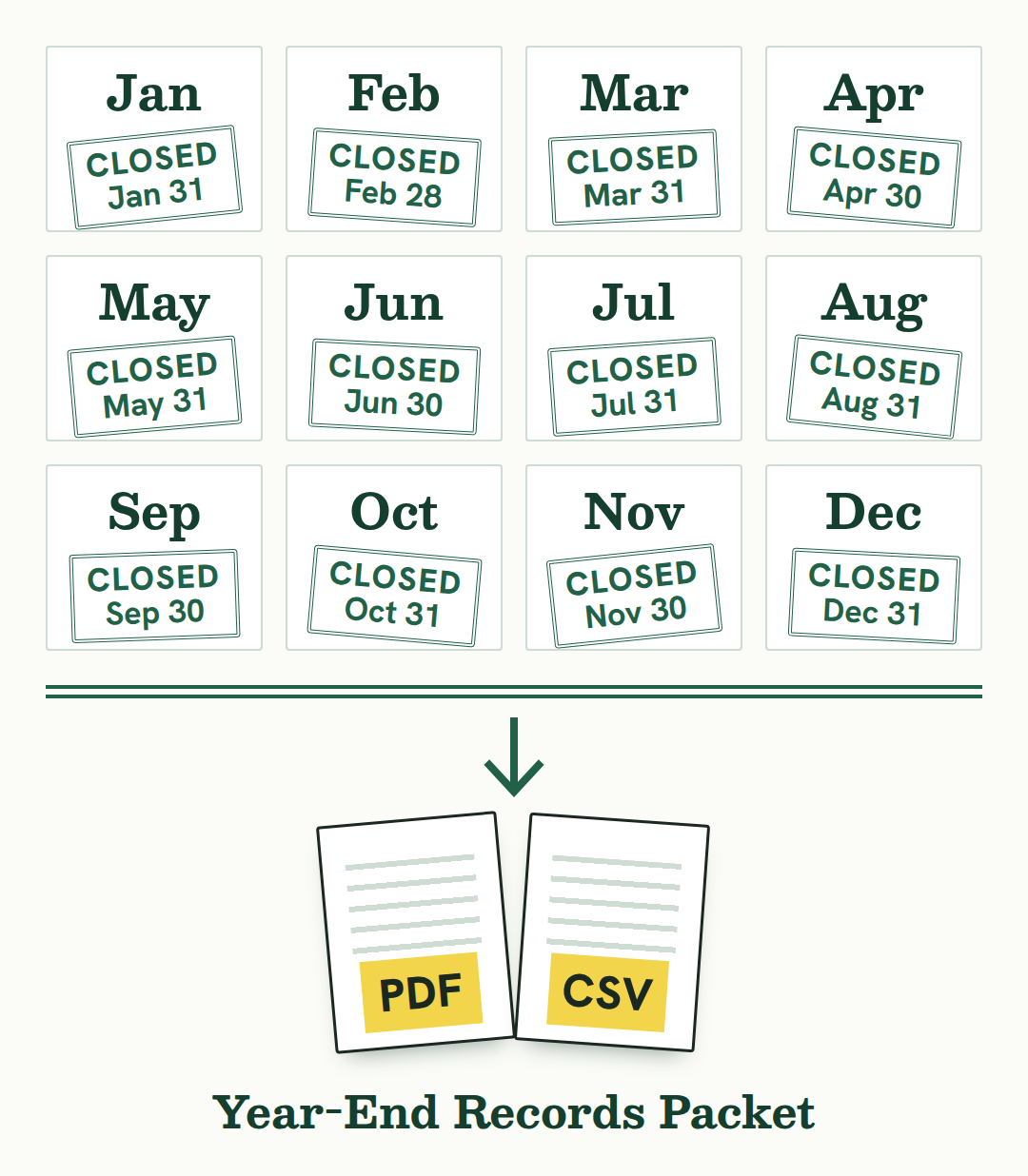
A close puts an end date on each month. The gaps get fixed while the month is recent. Year-end is then the twelve closes added up.

Illustration.
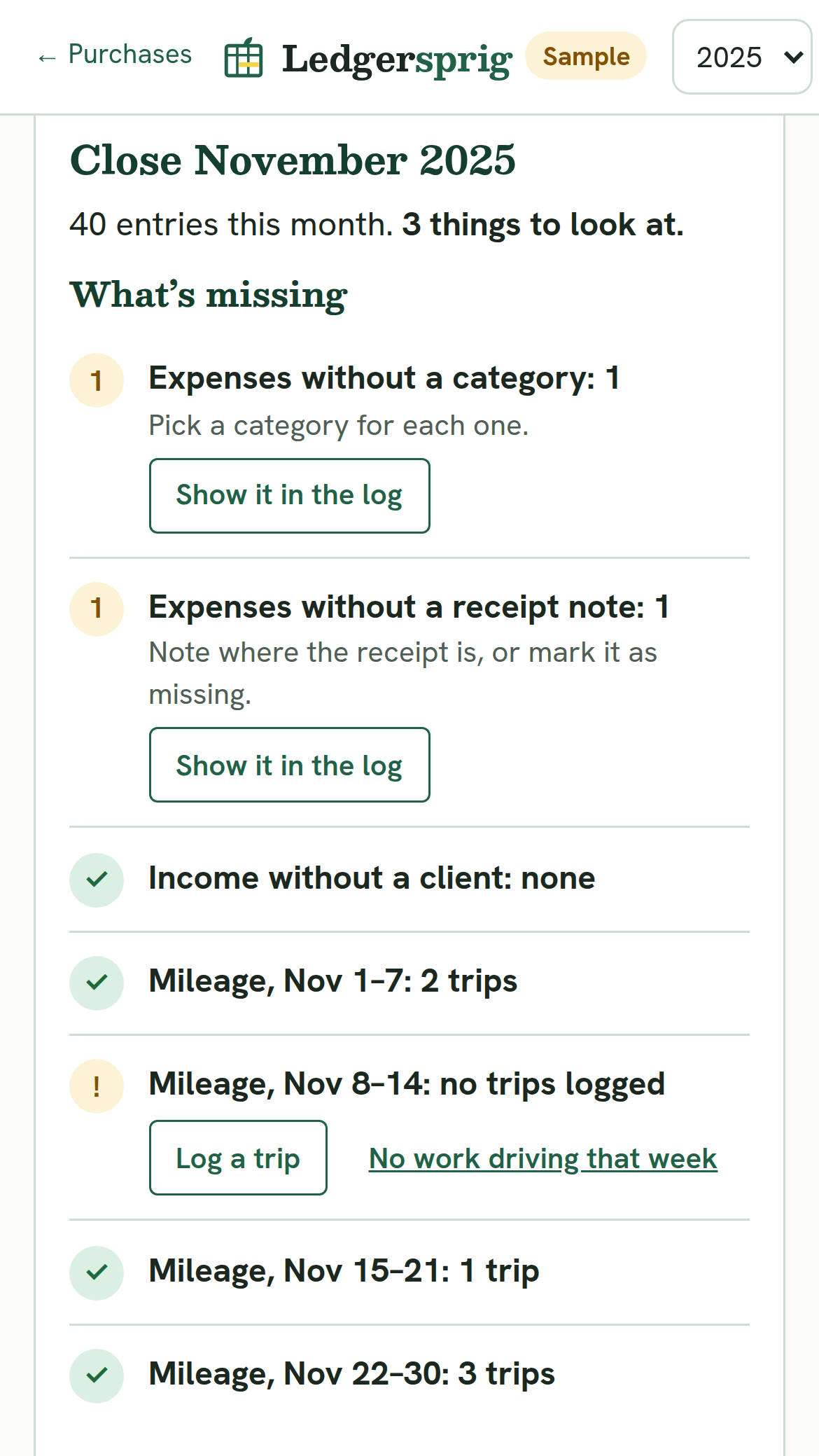
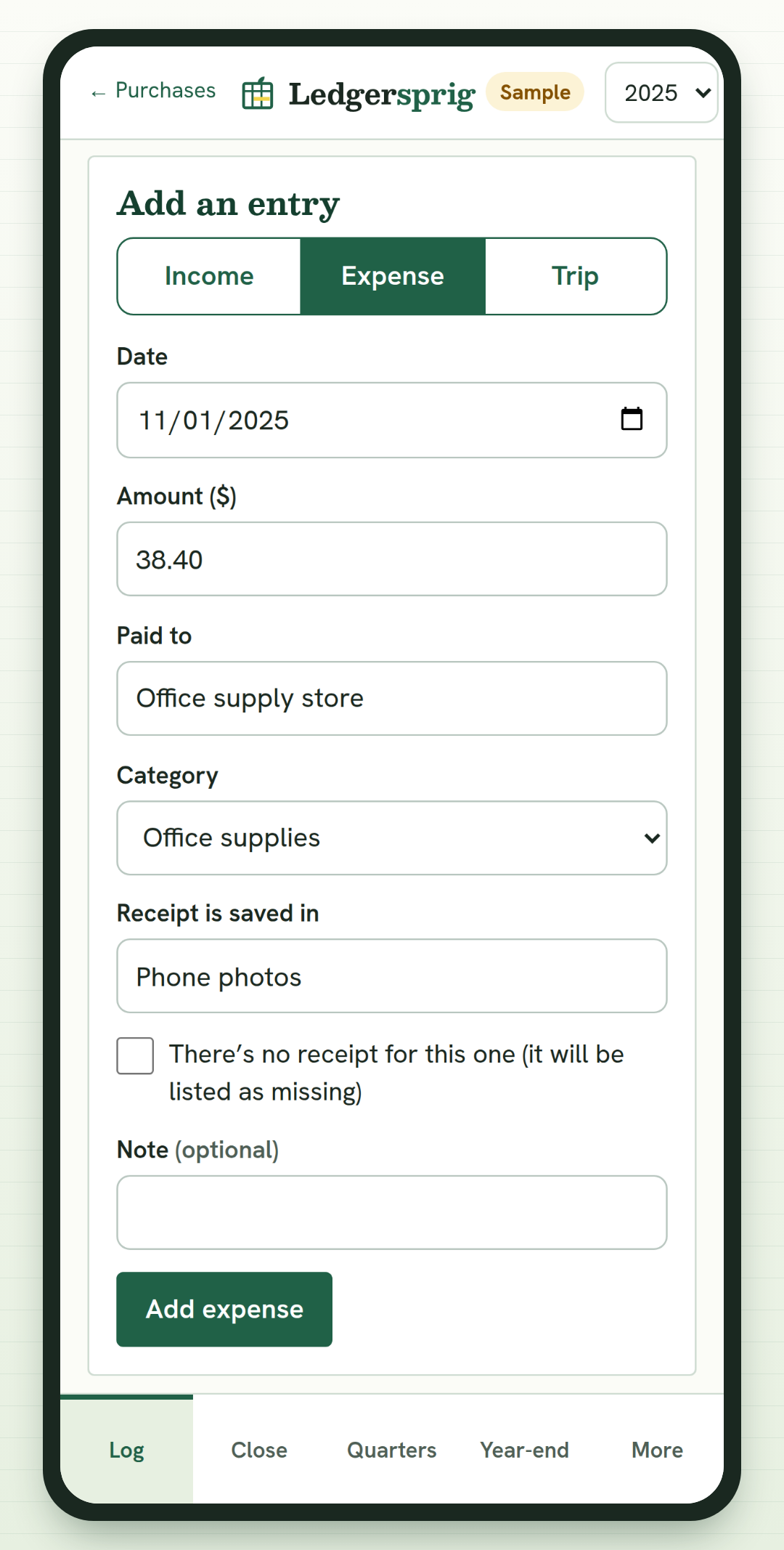
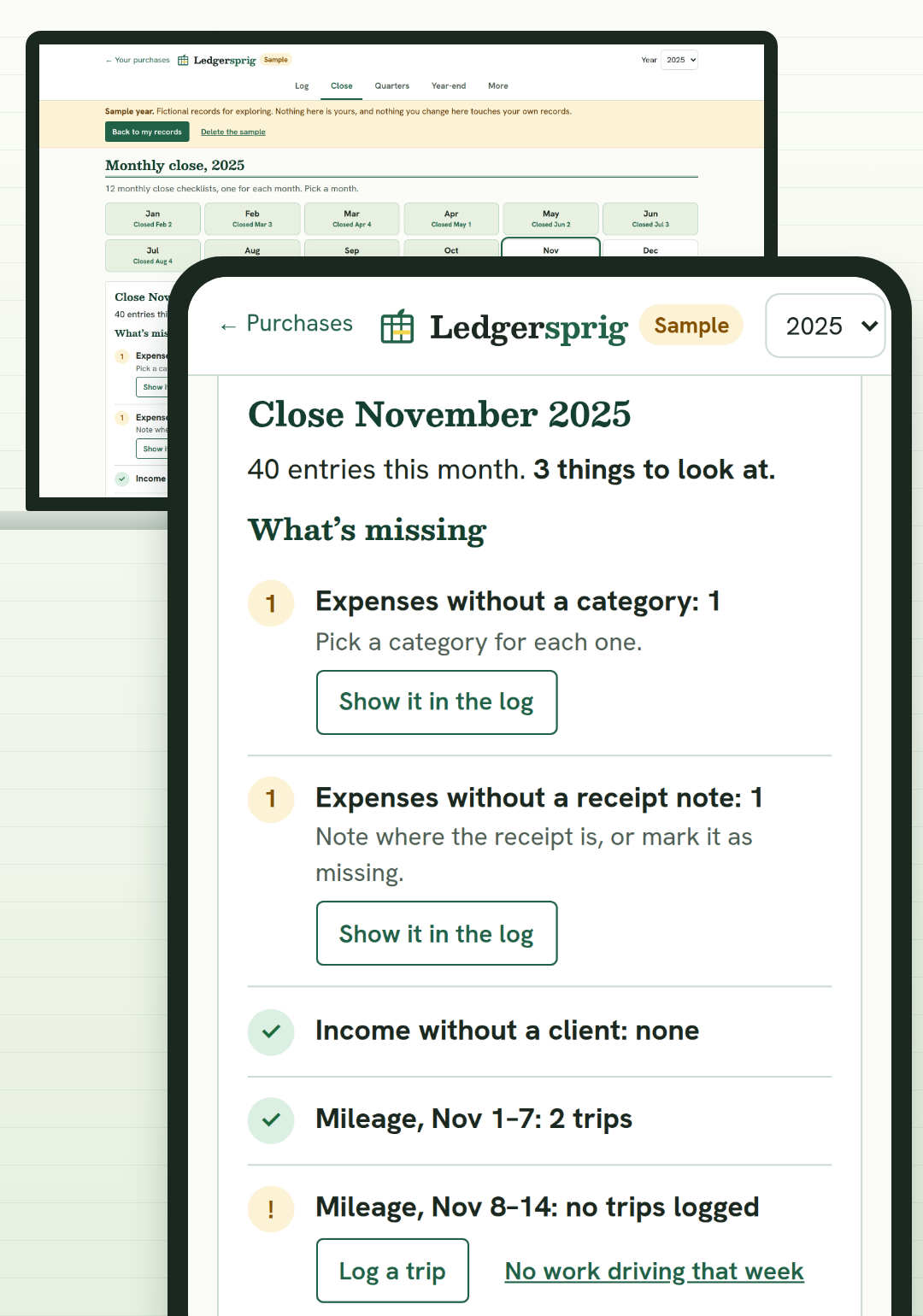
This is November in the sample year that comes with Ledgersprig, a month still waiting to be closed. The freelancer, the clients and the numbers are fictional.

Sample data.
The close checks four things:
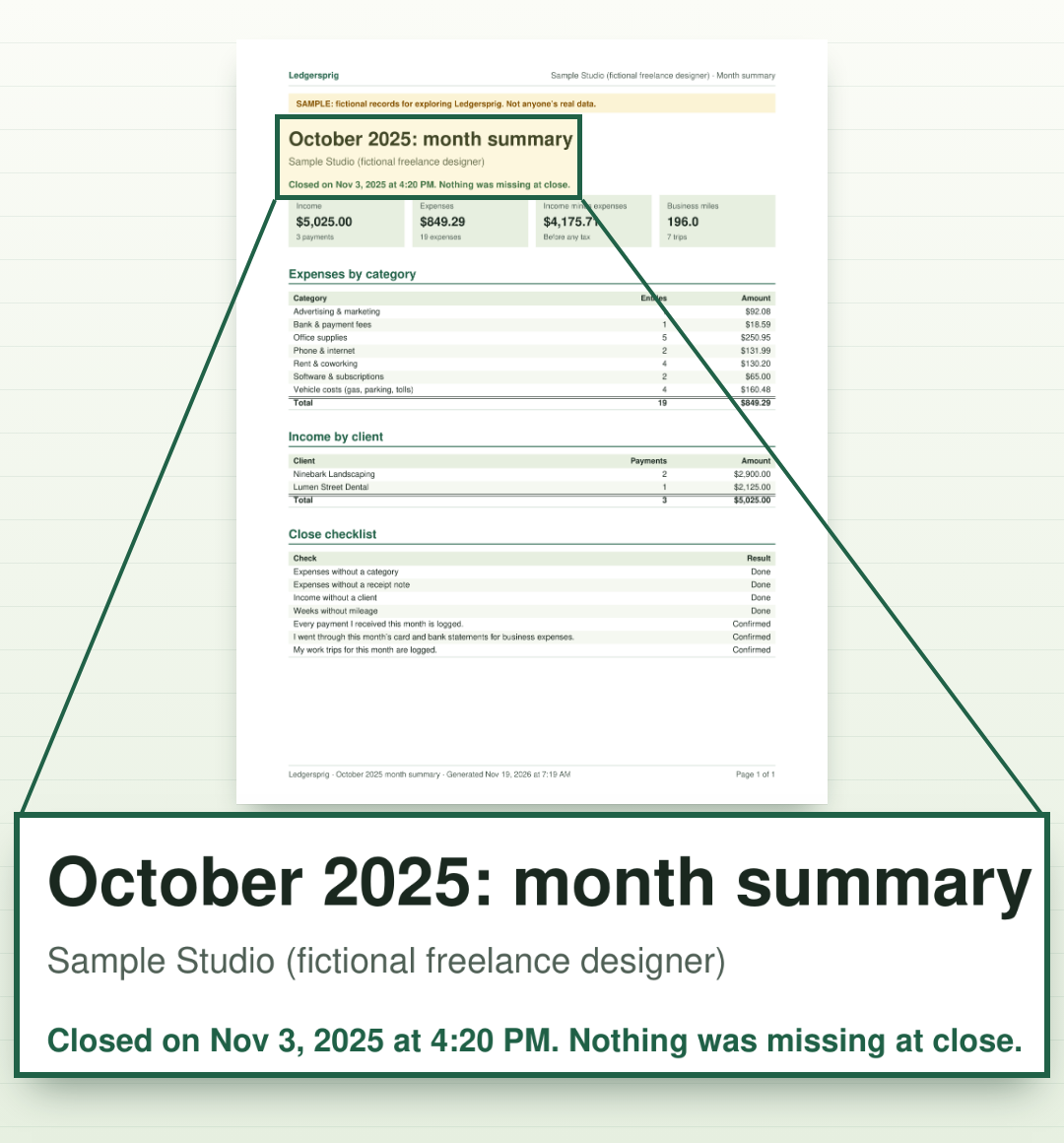
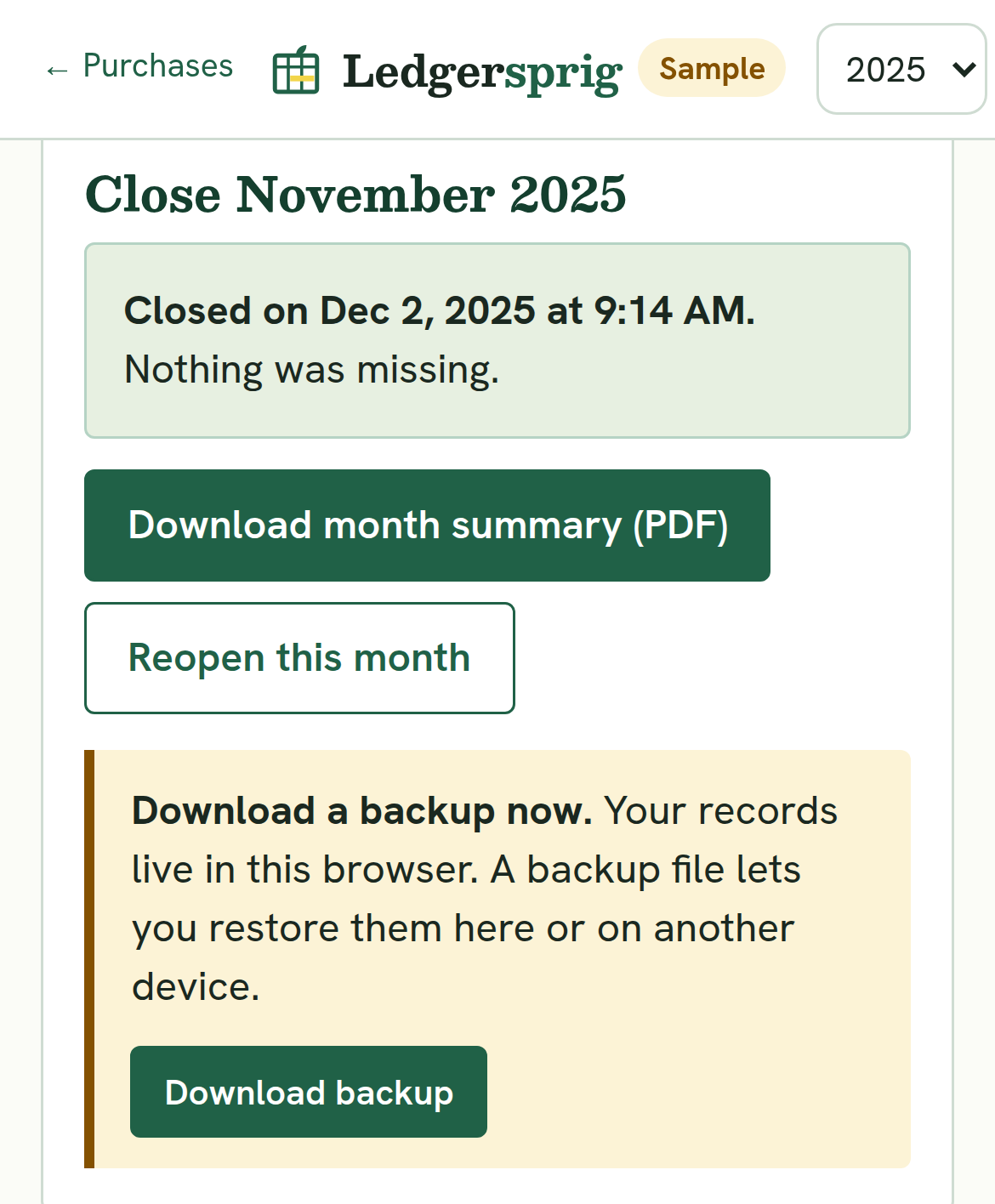
When you've dealt with the items, close the month. Ledgersprig records the date and gives you a one-page PDF summary of that month.

Sample data.
The close only checks what's in the Log. It can't know about income you never entered.
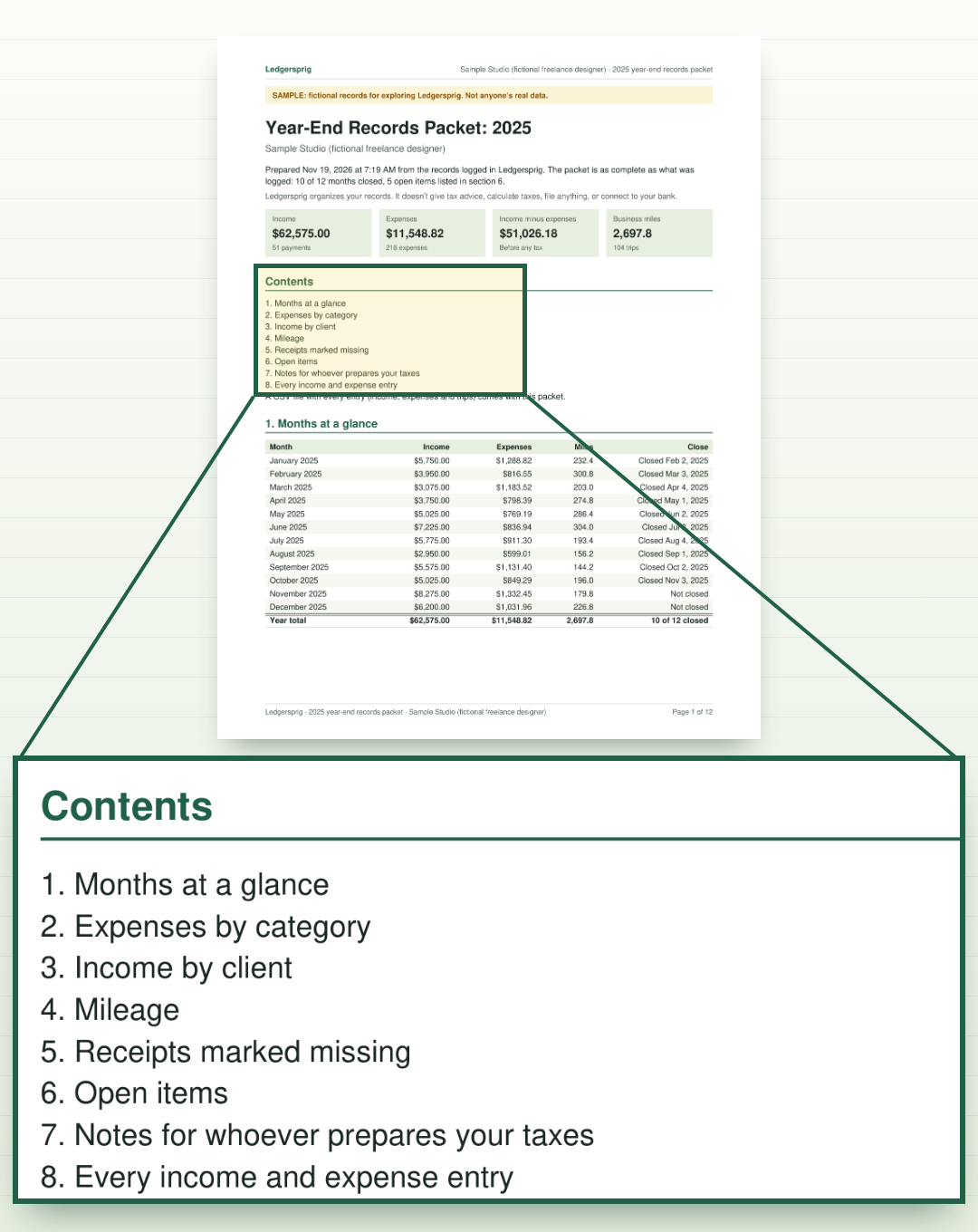
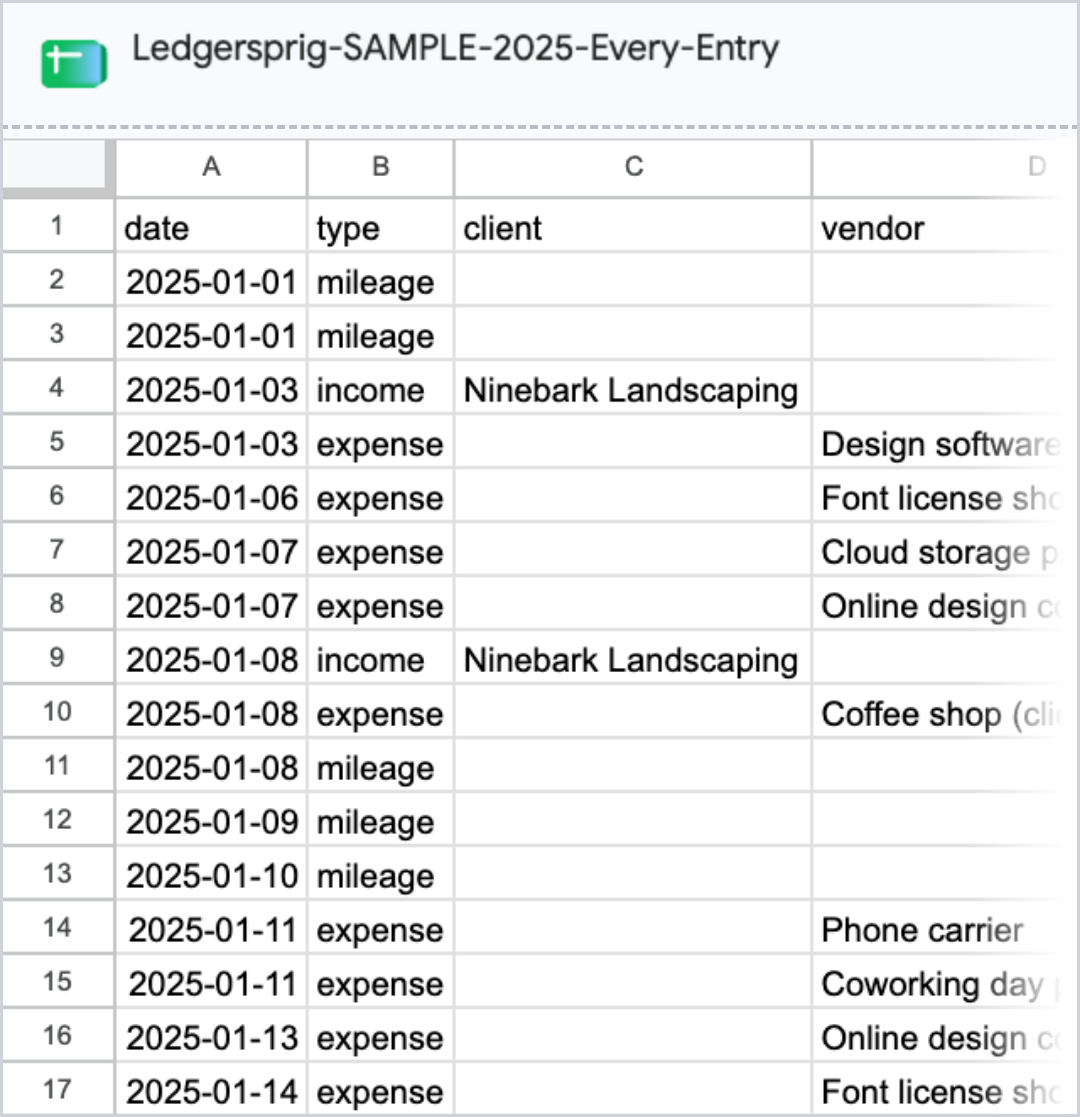
The Year-End Records Packet. Two files:
Income by client is there so you can check it against any 1099 forms you receive.
You can download the packet at any point in the year. It's built from what you've logged up to that day, so it's as complete as your Log.


Sample data.
You type them. There's no bank connection and no receipt scanning.
Categories start with a default set, and you can rename them. Ledgersprig totals each month, each quarter and the year, and shows income by client.
On a phone, it runs in the browser. There's nothing to install from an app store.

Sample data.
Ledgersprig runs in your browser. Your records are saved on your device, not on our servers. Download a backup file anytime.
We don't receive the records you type. The other side of that: if your browser's data is cleared, the records on that device go with it. That's what the backup is for. Every close reminds you to download one, and you can restore it on the same device or a new one.
Using a second device? Download a backup on the first and restore it on the second. There's no automatic sync.
If we ever stop hosting the tools, we'll email you at least 60 days before and send you a copy that runs on your own computer.

Sample data.
If a free app or your own spreadsheet already gets you to tax time with nothing to fix, keep using it.
Ledgersprig is for the other case: you log for a while, the logging trails off, and tax time turns into a reconstruction from bank statements and photos.
A blank spreadsheet holds entries. It doesn't check a month for gaps or put together a year-end packet. That's the part you're paying for: twelve closes, and the packet they add up to. One payment of $67, no monthly fee.
If you want bank transactions pulled in automatically, choose an app that connects to your bank. Ledgersprig doesn't, by design.
We can't answer for your preparer. The packet is a standard PDF and a standard CSV file. Ask your preparer what they need. The packet's notes page is there for anything they ask you to add.
If you do your own taxes with software, the packet gives you the year's totals in one PDF and every entry in one CSV.
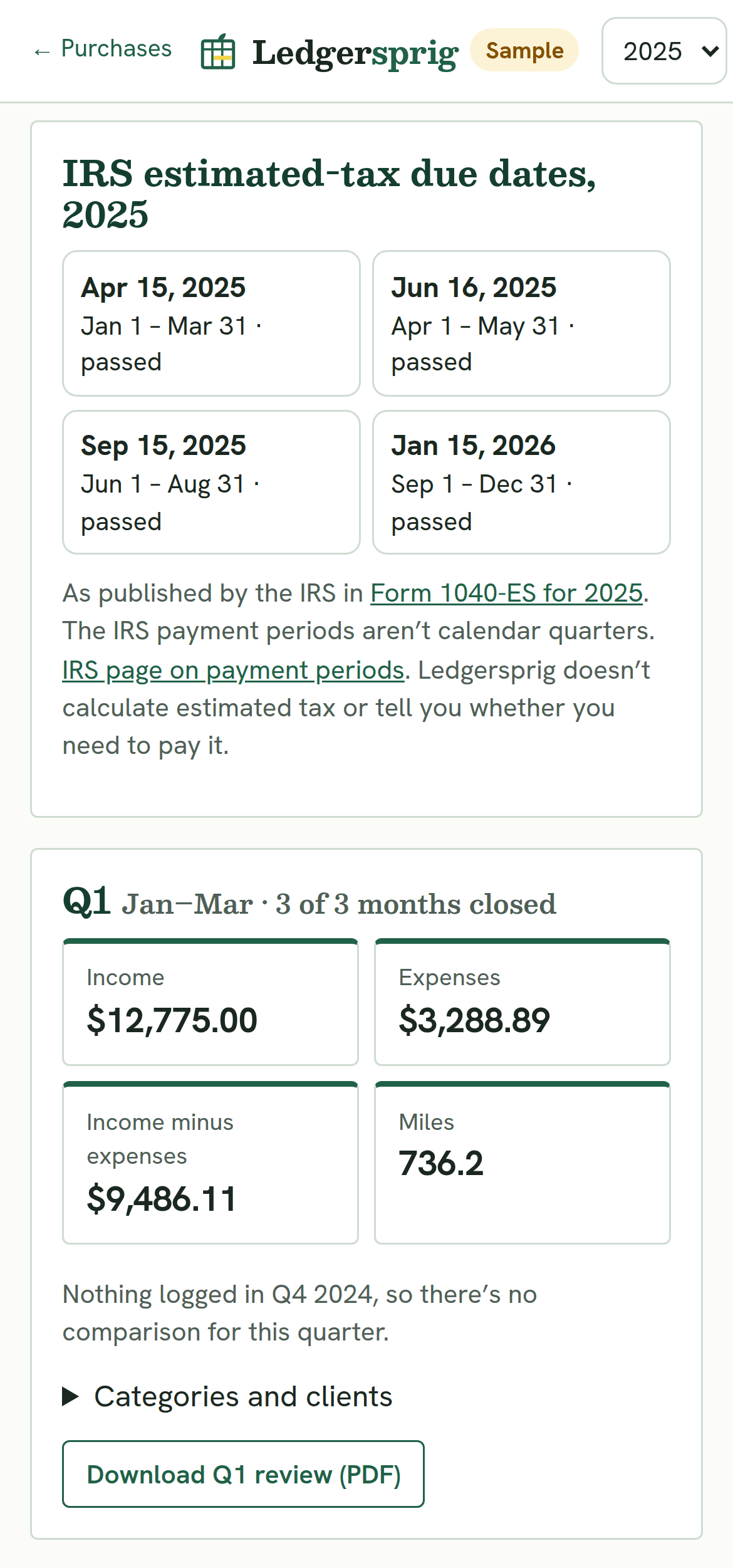
Each quarter has a Quarterly Review: totals by category, income by client, and a comparison with the previous quarter, on screen and as a PDF.
It also lists the IRS's estimated-tax due dates, with a link to the IRS page they come from: the 2025 and 2026 dates now, and 2027's once the IRS publishes them. It doesn't calculate what you owe.

Sample data.
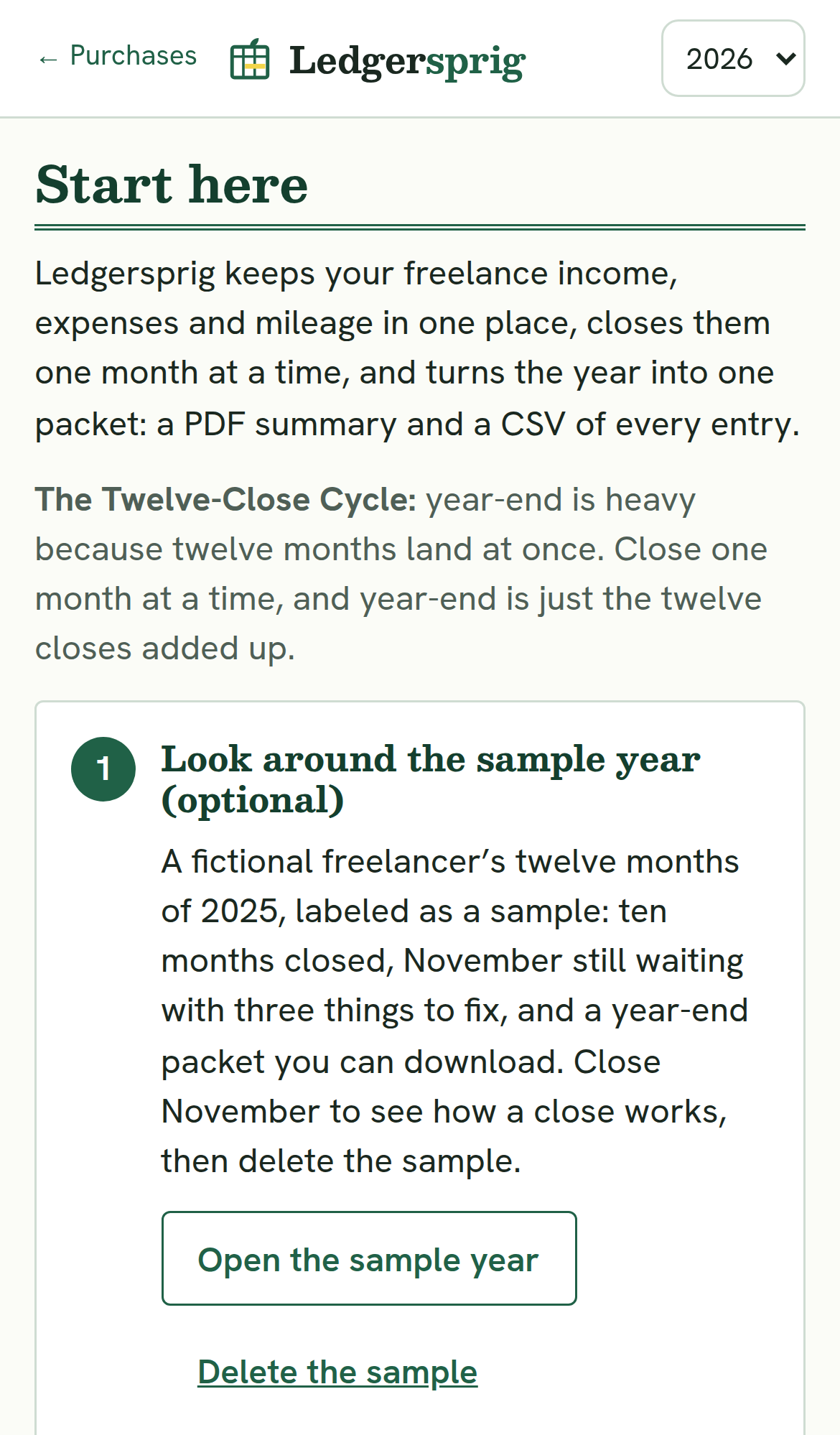
Yes. Ledgersprig opens with a sample year: a fictional freelancer's twelve months, labeled as a sample. Close a month in it, download its packet, then delete it and start yours.
The Start Here page walks you through your first month.

Sample data.
One-time payment. No subscription. No recurring charges.
Instant access by email after purchase. Your downloaded files are yours to keep.
30-day money-back guarantee. Email support@ledgersprig.site within 30 days of purchase and we'll refund 100% of what you paid for that product. No questions asked.
The charge appears on your card statement as AURYON LEDGERSPRG.
Because this year's records are the ones you'll need at tax time, and they've been open since January.
Ledgersprig closes a past month the same way it closes this one. Log that month's income, expenses and mileage from your bank statements and receipts, open its close, fix what the checklist shows, and close it. Then the month before it. The Close tab lists the twelve months of the year and shows which ones are closed.
For the months already behind you, that's the same reconstruction tax time would ask for, done one month at a time, with the checklist showing what's missing. Start with this month or the one that just ended, while the details are recent, then work back through the year.
If you'd rather start from a later month, set it as the month you track from. The months before it won't show as open unless you log entries in them. Any of them with entries stays on the Close tab, waiting to be closed, and the packet will hold only what you log.
The packet is built from whatever is in your Log, so you can download it at any point.
This offer has no January version. Same $67, same terms, whichever month you start.
Close this month first. Year-end is the twelve closes added up.
One optional offer. If you decline it, a second, smaller offer, also optional. Declining either one adds nothing to your order.
Your access link goes to the email you used at checkout. From your access page, open Ledgersprig, start with the sample year or the Start Here page, then log and close your first month.
Ledgersprig builds this tool and sells it on this site.
Orders are processed by our online reseller Auryon369 (Fracktal Technologies LLC), which is the merchant of record for all purchases and handles payments, refunds and billing support. The charge appears on your card statement as AURYON LEDGERSPRG.
Questions about using Ledgersprig? Email support@ledgersprig.site. We answer within 2 business days, for 12 months after your purchase.
Yes, in the browser on either one. Your records stay on the device you use. To move them, use a backup file.
Yes. The CSV in the year-end packet has every entry, and the backup file has your whole Log.
No. It doesn't reconcile bank accounts or produce financial statements. It logs, checks each month for gaps, and puts together the packet.
Close it when you get to it. Each month has its own checklist.
Log income, expenses and mileage as they happen. Close each month when it ends; the checklist shows what's missing. At year-end, download the packet the twelve closes add up to: a PDF summary and a CSV of every entry. $67, with a 30-day refund window.